Userlenz
The Situation
Userlenz started as a friend's idea for a startup: make user research something a small team could run on its own, without hiring a researcher or scheduling a round of manual interviews. Most teams know they should talk to users more often, but running a proper research session — writing a discussion guide, moderating it, taking notes, then synthesizing everything into something the team can act on — takes time most small teams don't have. Userlenz automates the parts of that process that don't need a human in the room, while still capturing real conversational responses instead of a static form.
The Task
This wasn't a co-founding role — the idea and the startup are my friend's. My job was turning that idea into a working product: choosing the stack, building the MVP, standing up a demo environment, and making every technical call about how the feature set actually gets implemented — down to how each entity is modeled in the database and how raw responses get turned into a report.
The Action
How it works:
- Prompt in — a team writes a plain-language research question (e.g. "why are users dropping off during onboarding?").
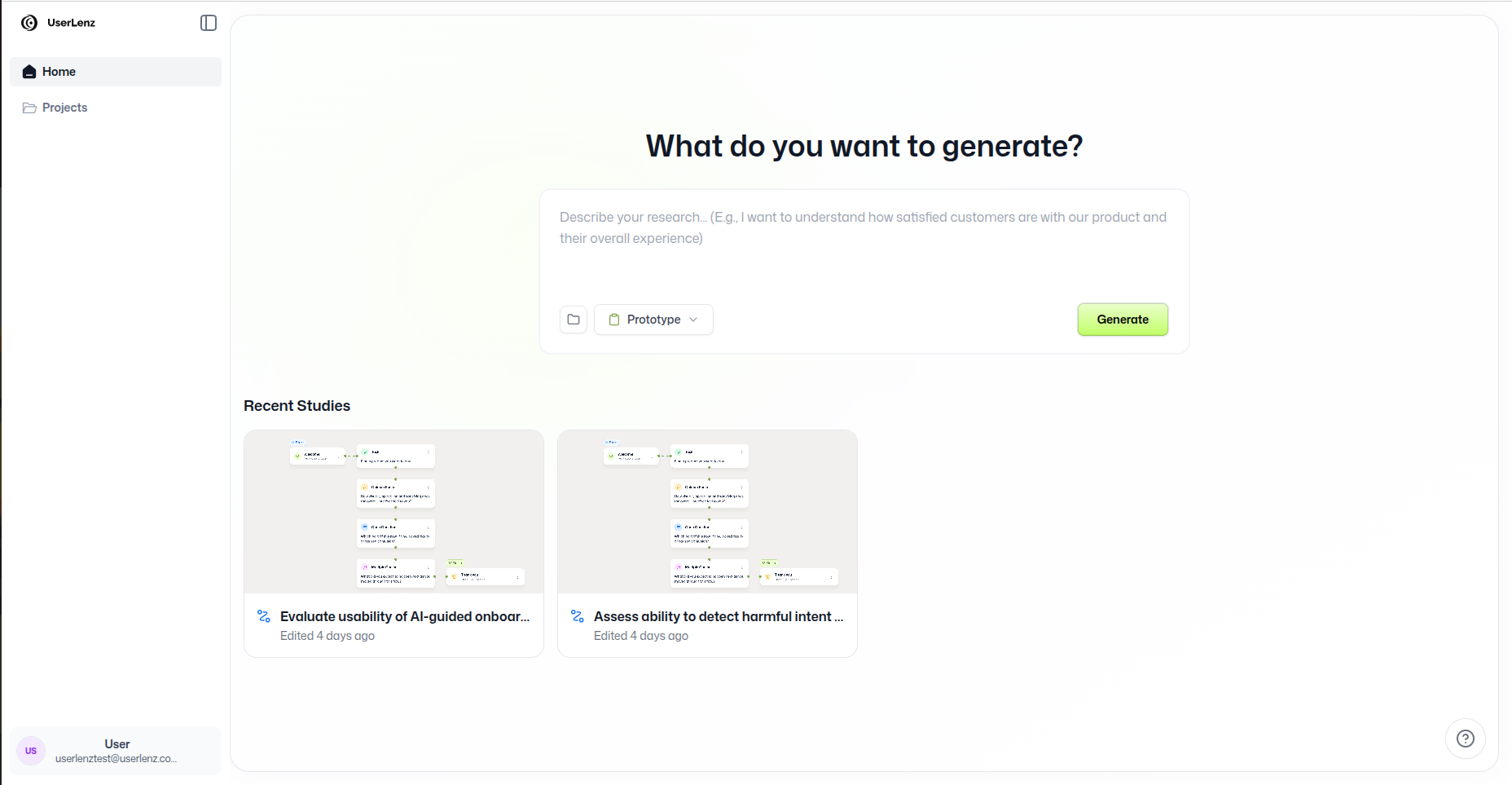
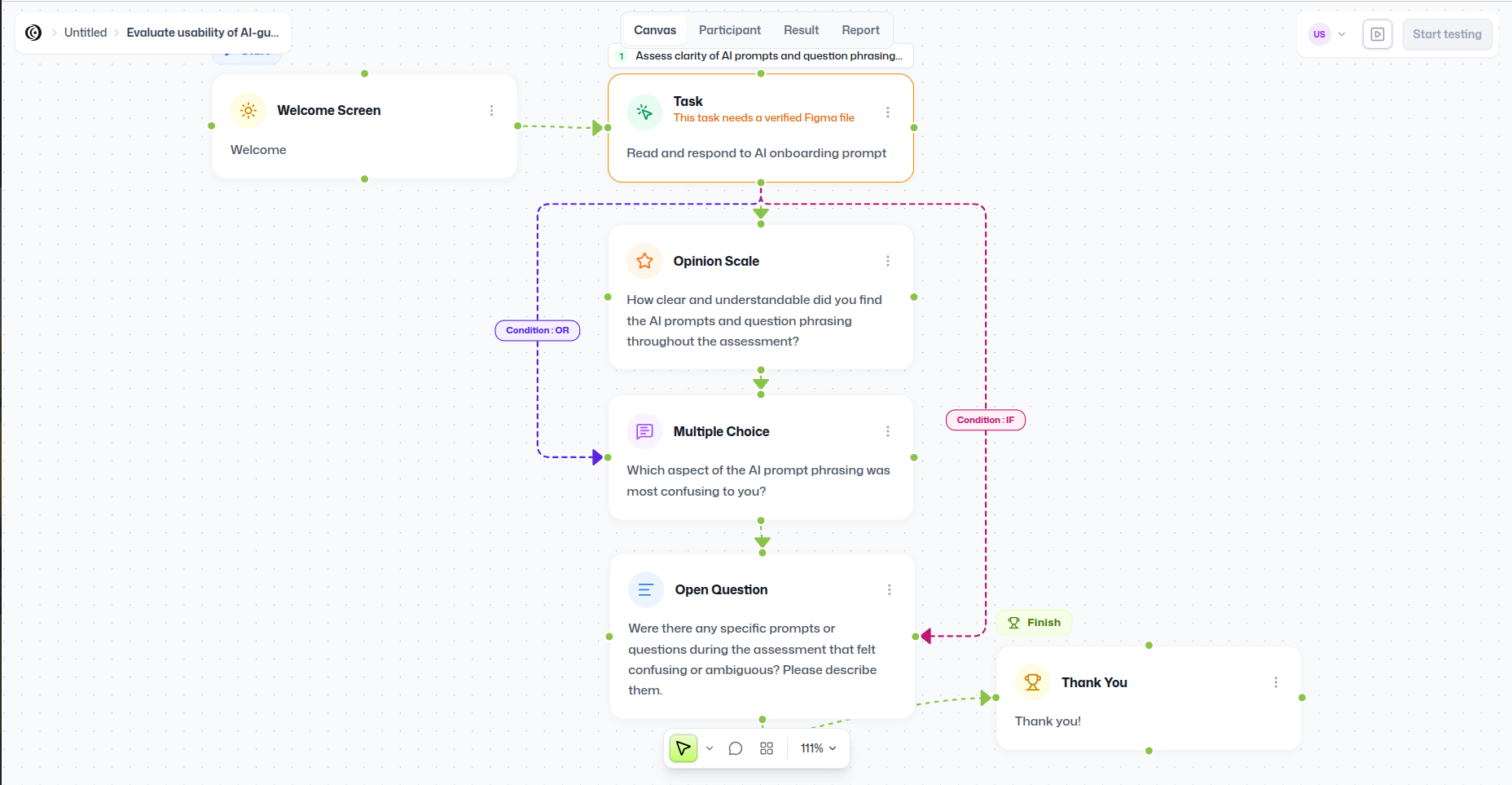
- Workflow generation — Userlenz turns that prompt into a workflow canvas mixing task steps (e.g. a "Website Test" against a Figma prototype or a live site, with a defined goal screen) and structured questions (multiple choice, opinion scale, open text).
- AI-moderated sessions — an ElevenLabs voice agent runs the session with each participant, asking the generated questions conversationally and following up in real time — all while the participant works through the task steps, so the interview and the hands-on task happen together, not as separate phases.
- Task completion detection — when a task step points at a Figma prototype, Userlenz embeds it directly and watches which frame the participant is on; when it points at a live website, Userlenz watches the same way through an installed tracking snippet. Either way, landing on the designated goal screen automatically marks that task complete.
- Session capture — in parallel with the voice conversation and task tracking,
rrwebrecords the participant's on-screen activity, so the session data includes what they said, what they clicked, and whether/when they reached the goal. - Report generation — once a session wraps, the transcript, task-completion results, and captured activity are processed through the Claude API, which synthesizes them into a structured report the team can actually read and act on, instead of a pile of raw transcripts.
Testing surfaces: Figma prototypes & live websites. A task step in the workflow can target either surface:
-
Figma prototypes — Userlenz embeds the prototype directly in the session via Figma's embed API. The participant clicks through it like they would in Figma's own preview mode, and Userlenz tracks which frame they land on.
-
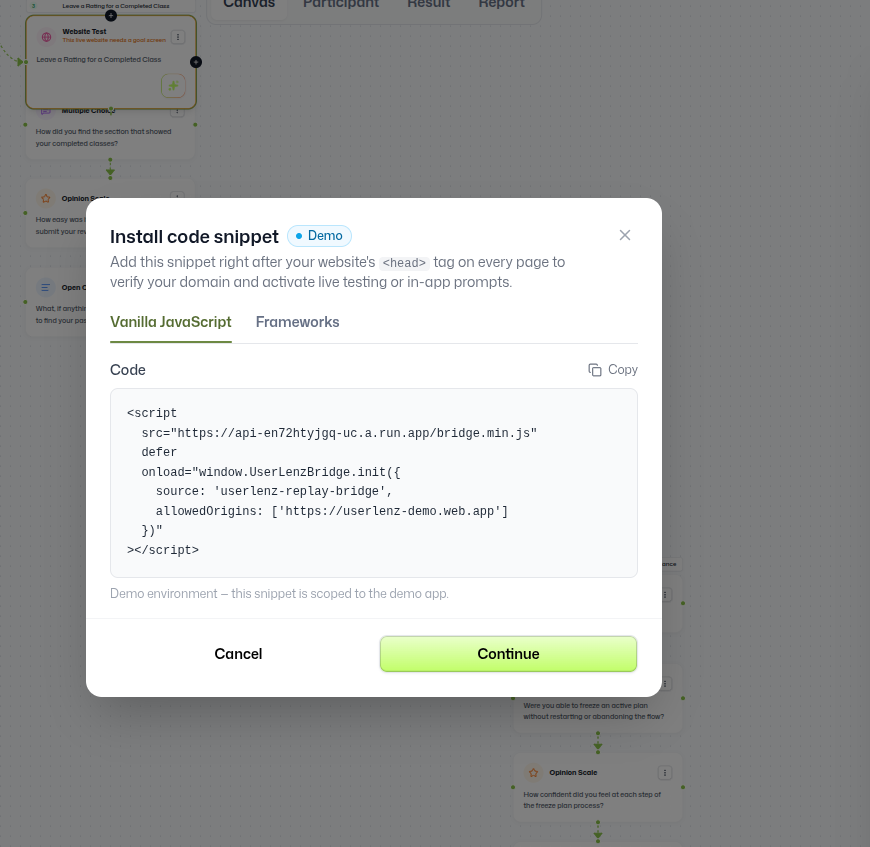
Live websites — since Userlenz can't instrument an arbitrary third-party site on its own, the site owner adds a small snippet to their site's
<head>:<script src="https://api-en72htyjgq-uc.a.run.app/bridge.min.js" defer onload="window.UserLenzBridge.init({ source: 'userlenz-replay-bridge', allowedOrigins: ['https://userlenz-demo.web.app'] })" ></script>That snippet (
UserLenzBridge) verifies the domain against anallowedOriginsallowlist and activates live testing and in-app prompts, so Userlenz can bridge into the real site the same way it does with a Figma prototype — tracking navigation and detecting the same goal-screen completion.
Either way, the participant's experience and the goal-detection logic stay consistent — only the underlying surface being tracked changes.
Technical architecture:
- Frontend: Next.js, deployed as a static/SPA build to Firebase Hosting (the
userlenz-dev.web.appdomain). - Auth & Data: Firebase Auth for user accounts, Firestore as the primary data store.
- Backend logic: Firebase Cloud Functions handle the workflow-generation step, orchestrating the ElevenLabs session, and triggering report generation once a session completes.
- Voice moderation: ElevenLabs' conversational agent conducts the actual research conversation with participants.
- Figma integration: Figma's embed API renders the target prototype directly inside a session so the participant can click through it without leaving Userlenz.
- Live-site integration: a lightweight
UserLenzBridgesnippet, served from a Cloud Run–hosted bridge script, that site owners add to their page<head>. It's gated by anallowedOriginsallowlist so only verified domains can report activity back to a session. - Session recording: rrweb captures and replays on-screen activity during a session, so a report isn't just "what they said" but "what they were looking at when they said it."
- Report synthesis: Claude API, given the session transcript, task-completion results, and captured activity, generates the final report.
Data model & reporting pipeline: one of the harder design decisions was how to model a "research session" so that a prompt, its generated workflow, a participant's spoken responses, their task-completion results (Figma or live-site), and their recorded screen activity all stay linked to each other in Firestore — without over-normalizing the data to the point where generating a report meant stitching together a dozen queries. The collections are structured around a session as the central document, with responses, task/goal-screen results, and rrweb capture references nested or linked underneath it, so the report-generation function can pull everything it needs for a session in a single pass before handing it to Claude.
Building the MVP: because this is a friend's startup idea rather than an established product, scope mattered as much as implementation. I prioritized the smallest end-to-end slice that could prove the concept — prompt in, session out, report generated — before adding anything else.
Challenges and decisions:
- Keeping AI-moderated sessions on-topic: the generated workflow has to constrain the voice agent enough that it stays focused on the research question, while still leaving room for it to follow up naturally.
- Bridging into live third-party sites: unlike a Figma prototype, which Userlenz can embed on its own, a live website needs the site owner's cooperation — the
UserLenzBridgesnippet and domain allowlist exist so a test session can safely reach into a real production site without turning into an open tracking hole. - Syncing multiple data streams: the voice session, the task/goal-screen tracking, and the rrweb recording all happen in parallel and need to be correlated afterward so the report can reference "what the user did" and "whether they completed the task" at the right point in "what they said."
- Report quality: getting the Claude API to produce a report that's genuinely useful to a non-researcher, rather than a restated transcript, took iteration on how session data is framed in the prompt sent to it.
Screenshots
The Result
I built a separate demo environment so the product could be shown to prospective users without touching real session data — live today at userlenz-dev.web.app.
Future Improvements
- Support for multiple concurrent research workflows per team
- Deeper analytics across sessions (trends across multiple participants, not just per-session reports)
- Expanding beyond voice-only sessions to include async/text-based research flows